Pick the method that matches your food
| What you have | Start here | What to check |
|---|---|---|
| A meal on a plate | Meal photo | Ingredients, portions, sauces and cooking oil |
| A packaged product | Barcode scanner | Product name, label values and how many servings you ate |
| A known individual food | Food search | Food description, cooked or raw, amount and unit |
| An order at a supported chain | Restaurant menu | Exact item, size, ingredients and extras |
Take a photo, then review it
- Use meal photo logging in the app and take a clear picture of the food you plan to log. Keep the whole plate in view and avoid covering ingredients.
- Review the foods and portions in the result. A photo can suggest what's on the plate, but it cannot weigh a serving or see every ingredient.
- Adjust the result before saving. If the food or amount is wrong, correct it or use food search to enter the known food and portion instead.
- Save once, then check the meal on Track. Check the date and totals so a retry does not become a duplicate meal.
Example: chicken, rice and a sauce
A photo may recognize the chicken and rice while missing oil used in cooking or a sauce under the food. Check those separately. If you know the rice portion or have a recipe, use that information rather than accepting the portion guessed from the image.
Photo logging is an estimate. We don't publish a universal accuracy percentage because the result depends on the photo, food and portion information available.
A barcode is a different kind of scan
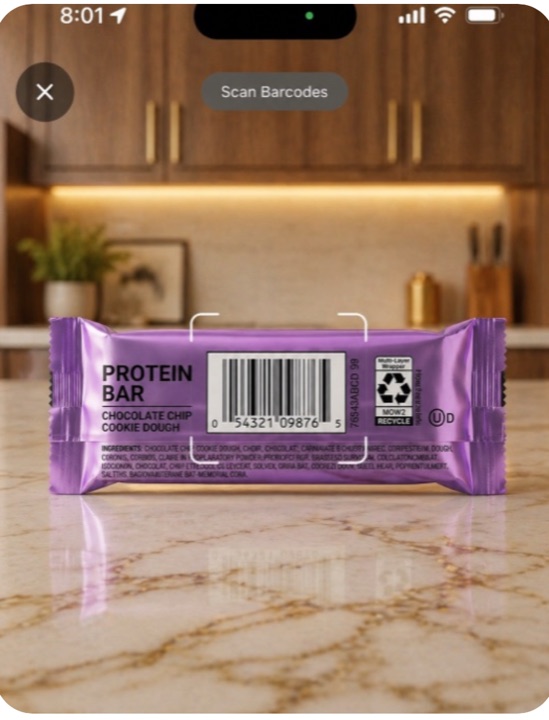
For a protein bar or other packaged food, scan its barcode to look up the product. Compare the entry with the Nutrition Facts label, then set the amount you ate. A barcode identifies a product; it doesn't tell us how much you ate.
Existing barcode-scanner illustration, not a meal-photo result.
For restaurants, use the actual menu when you can
If your meal is from a supported chain, find the item and customize it to match your order. The restaurant pages show source information and mark estimated nutrition. This accounts for known options such as extra meat or a different sauce, which a photo may not identify.
Find your restaurant · Photo estimates and nutrition sources
Is photo logging free?
Yes. Photo logging and barcode scanning are included free, with no subscription or trial. See the free features, or follow our first-day guide if you're new to tracking.